Table of Contents
- What Is a Smart TV Box? — Definition
- How Does a Smart TV Box Work?
- Key Features of a Smart TV Box
- Smart TV Box vs Smart TV — What’s the Difference?
- Types of Smart TV Boxes
- How to Set Up a Smart TV Box
- Best Apps for a Smart TV Box
- Smart TV Box and IPTV — The Perfect Combination
- How to Choose the Best Smart TV Box
- Troubleshooting Common Smart TV Box Issues
- Is a Smart TV Box Worth It?
- Conclusion
- Frequently Asked Questions
🚀 Stop Overpaying for TV — Save Up to 80% Starting Today!
Try Best IPTV Services – 33,000+ channels + 140,000 movies & series. Works perfectly on any smart TV box.
👉 View Plans & Pricing
If you have ever looked at your old television and wished it could stream Netflix, YouTube, or thousands of live channels without buying a brand-new set, you have probably asked yourself: what is a smart TV box? It is one of the most searched questions in the world of home entertainment — and for good reason. A smart TV box is a compact, affordable device that transforms virtually any television into a fully connected, internet-powered streaming hub.
In this comprehensive guide, we answer every question you might have about what is a smart TV box, how it works, which one to buy, how to set it up, and — most importantly — how to get the very best streaming content through it. Whether you are a first-time buyer or upgrading from an older streaming stick, this guide covers everything you need to know.
What Is a Smart TV Box? — Definition
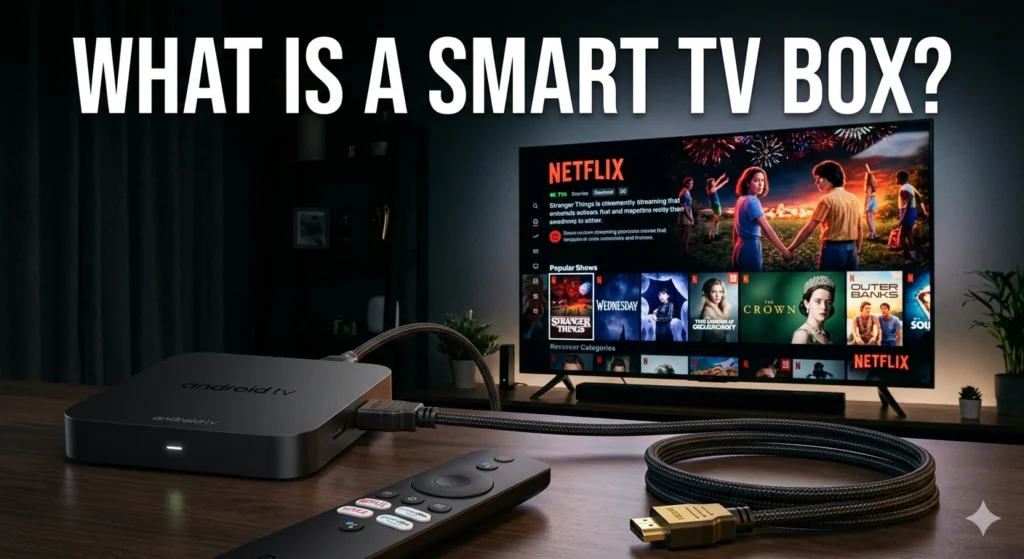
A smart TV box — also known as an Android TV box, media streaming box, or IPTV box — is a small electronic device that connects to your television via an HDMI port and to the internet via Wi-Fi or Ethernet. Once connected, it runs a full operating system (most commonly Android TV or a similar OS) and gives your television access to streaming apps, live TV services, online content, and much more.
In simple terms: if your TV does not have built-in internet features, a smart TV box adds them. If your TV already has smart features but they are slow or limited, a smart TV box replaces them with a faster, more versatile experience. Think of it as a miniature computer purpose-built for your living room screen.
According to the definition of a set-top box, these devices have evolved from basic cable decoders into fully fledged internet media centers capable of running thousands of apps. Today’s smart TV boxes support 4K resolution, Dolby audio, voice control, gaming, and IPTV streaming — making them one of the most versatile consumer electronics products available.
Understanding what is a smart TV box also means understanding what it is not. It is not a satellite receiver, a DVR (unless specifically designed as one), or a Wi-Fi router. It is a dedicated media device whose sole purpose is to enrich your television viewing experience through internet connectivity.
How Does a Smart TV Box Work?
Once you know what is a smart TV box, the next logical question is: how exactly does it work? The process is straightforward. The device connects to your TV through the HDMI port, which carries both video and audio signals. It then connects to your home internet network — either wirelessly via Wi-Fi or through a physical Ethernet cable for a more stable connection.
From there, the box runs its operating system — typically Android TV, Android Open Source Project (AOSP), or a custom OS — which acts as the interface between you and your content. You use the included remote control (and sometimes a smartphone app) to navigate menus, search for content, launch apps, and manage settings.
Here is a simplified breakdown of the internal components that power a smart TV box:
- Processor (CPU/GPU): The brain of the device. Higher-end chips like the Amlogic S905X4 or Rockchip RK3566 handle 4K decoding, gaming, and multitasking smoothly.
- RAM: Determines how many apps can run simultaneously without lag. Most modern boxes offer 2–4 GB of RAM.
- Internal Storage: Where your apps, cache, and settings are stored. Typically 16–64 GB, expandable via USB or microSD.
- Operating System: Android TV, Android AOSP, or proprietary OS. This determines which apps are natively available.
- Connectivity Ports: HDMI out, USB-A ports, microSD slot, optional Ethernet port, and 3.5mm audio jack.
- Wi-Fi & Bluetooth: Dual-band Wi-Fi (2.4 GHz + 5 GHz) and Bluetooth for wireless remotes, keyboards, and gamepads.
The entire experience is designed to be plug-and-play. You connect it to your TV, follow a short setup wizard to connect to Wi-Fi and sign in to your accounts, and within minutes you have access to a world of content — including IPTV streaming, which we will explore later in this guide.
Key Features of a Smart TV Box
Now that you understand what is a smart TV box and how it operates, let’s look at the core features that make these devices such a compelling purchase for modern households:
- 4K & HDR Streaming: Most current smart TV boxes support Ultra HD 4K resolution with HDR10 and Dolby Vision, delivering cinema-quality visuals on any compatible screen.
- App Ecosystem: Access to thousands of apps including Netflix, Prime Video, Disney+, YouTube, Spotify, Kodi, and IPTV players — directly from your TV.
- Voice Control: Many boxes integrate with Google Assistant or Amazon Alexa, letting you search for content, control playback, and manage smart home devices using your voice.
- IPTV Compatibility: Smart TV boxes are among the best platforms for IPTV streaming, supporting M3U playlists, Xtream Codes, and dedicated IPTV apps out of the box.
- Screen Mirroring: Cast content from your smartphone or tablet directly to the big screen using Chromecast, Miracast, or AirPlay (device-dependent).
- Multi-User Profiles: Set up separate profiles for different family members, each with their own app preferences and recommendations.
- Gaming Capabilities: Higher-end boxes double as casual gaming consoles, supporting Bluetooth gamepads and cloud gaming platforms.
- Expandable Storage: Connect an external hard drive or USB stick to increase storage for downloaded apps, media files, and offline content.
For those exploring IPTV for the first time, our help center has dedicated setup guides covering how to configure popular IPTV apps on all major smart TV box platforms.
Smart TV Box vs Smart TV — What’s the Difference?
One of the most common questions people ask when researching what is a smart TV box is how it compares to a built-in smart TV. Both allow you to stream content online, but there are meaningful differences in performance, flexibility, and longevity.
| Feature | Smart TV Box | Built-In Smart TV |
|---|---|---|
| Upgradability | ✅ Replace anytime without buying new TV | ❌ Tied to TV hardware lifecycle |
| Processing Power | ✅ Dedicated, often more powerful chip | ⚠️ Varies widely by brand and model |
| App Availability | ✅ Full Android ecosystem + sideloading | ⚠️ Limited to manufacturer’s app store |
| IPTV Support | ✅ Excellent — supports all IPTV methods | ⚠️ Limited — depends on OS and app store |
| Cost | ✅ $30–$150 as an add-on | ❌ $300–$3,000+ for the full TV |
| Software Updates | ✅ Regular OS and app updates | ⚠️ Manufacturer-dependent, often discontinued |
The verdict is clear: a smart TV box offers far greater flexibility, future-proofing, and value than relying on a TV’s built-in smart features. Even if you own a recent smart TV, pairing it with a dedicated streaming box often delivers a noticeably smoother and more feature-rich experience — especially for IPTV streaming.
📺 Your Smart TV Box Deserves the Best IPTV Service!
Unlock 33,000+ live channels and 140,000 VOD titles with Best IPTV Services — optimized for all smart TV boxes.
👉 Explore IPTV Plans
Types of Smart TV Boxes
The market for streaming devices is diverse. Understanding the different types helps you make the right choice when answering what is a smart TV box for your specific needs:
Android TV Boxes
These run the official Android TV or Google TV operating system certified by Google. They include native access to the Google Play Store, Google Assistant, and Chromecast Built-in. Popular examples include the NVIDIA Shield TV and the Xiaomi Mi Box S. They offer the best app compatibility and IPTV support.
Android AOSP Boxes
These run an uncertified, open-source version of Android. They are not Google-certified but are highly customizable, support sideloading any APK, and are generally more affordable. They are especially popular for IPTV use due to their openness and the wide range of IPTV apps they support.
Amazon Fire TV Devices
Amazon’s ecosystem offers both stick-style (Firestick) and box-style (Fire TV Cube) devices. They run Amazon’s Fire OS — a fork of Android — and are tightly integrated with Amazon Prime Video and Alexa. IPTV apps can be sideloaded using the Downloader app.
Apple TV
Apple’s premium streaming box runs tvOS and integrates seamlessly with the Apple ecosystem. It supports 4K HDR, Dolby Atmos, and AirPlay 2. IPTV support is more limited compared to Android-based boxes, though dedicated IPTV apps are available on the App Store.
Roku Streaming Boxes
Roku devices run Roku OS, a proprietary, channel-based platform. They are extremely user-friendly and come pre-loaded with thousands of streaming channels. IPTV support is available through Roku’s official channel store, though sideloading is not supported.
MAG Boxes
MAG boxes (made by Infomir) are dedicated IPTV set-top boxes running a lightweight Linux-based OS. They are purpose-built for IPTV, offering exceptional stability for live channel streaming. They are a popular choice among serious IPTV subscribers.
How to Set Up a Smart TV Box
Setting up a smart TV box is one of the simplest technology tasks you can do at home. Here is a universal step-by-step guide that applies to the vast majority of devices:
- Connect to Your TV: Plug the HDMI cable (or the box’s integrated HDMI connector) into an available HDMI port on your television.
- Power the Device: Connect the power adapter to the box and plug it into a wall socket. Some low-power sticks can draw power directly from the TV’s USB port.
- Select the Input: Using your TV’s remote, switch to the correct HDMI input. You should see the device’s boot screen appear.
- Connect to Wi-Fi: Follow the on-screen setup wizard to select your Wi-Fi network and enter your password. For best results, use Ethernet if your box supports it.
- Sign In to Your Account: For Google TV/Android TV devices, sign in with your Google account to access the Play Store. For Amazon Fire TV, sign in with your Amazon account.
- Install Your Apps: Browse the app store and install your preferred streaming apps — Netflix, YouTube, Kodi, and your chosen IPTV player.
- Configure Your IPTV Service: Open your IPTV app and enter your M3U URL or Xtream Codes credentials to start streaming live channels.
Tip: If you encounter any setup issues, our IPTV support team offers detailed assistance for configuring IPTV services on all major smart TV box platforms.
Best Apps for a Smart TV Box
One of the biggest advantages of a smart TV box over a standard smart TV is its access to a broader, more flexible app ecosystem. Here are the essential categories and top apps to install on your streaming box:
Streaming Services
- Netflix — The world’s leading subscription video-on-demand platform with thousands of series, films, and documentaries.
- Amazon Prime Video — Included with Amazon Prime, offering a large catalog of originals and licensed content.
- Disney+ — Home to Marvel, Star Wars, Pixar, and National Geographic content.
- YouTube — Free access to billions of videos, live streams, and YouTube Premium content.
IPTV Players
- TiviMate — The most polished IPTV player for Android TV boxes, with an exceptional EPG interface.
- IPTV Smarters Pro — A highly versatile cross-platform IPTV app supporting M3U and Xtream Codes.
- GSE Smart IPTV — Excellent for multi-playlist management and iOS/Android compatibility.
- Kodi — An open-source media center that supports IPTV through add-ons and PVR backends.
Utilities & Optimization
- VPN Apps (ExpressVPN, NordVPN): Essential for bypassing ISP throttling and protecting your privacy while streaming.
- File Manager Apps: Useful for sideloading APKs and managing downloaded content.
- MX Player / VLC: Powerful media players that handle virtually any video format your box might not play natively.
Smart TV Box and IPTV — The Perfect Combination
If you are exploring what is a smart TV box, you will quickly discover that one of its most powerful use cases is IPTV streaming. IPTV (Internet Protocol Television) delivers live TV channels, on-demand content, and pay-per-view events over the internet — no satellite dish or cable connection required.
A smart TV box is the ideal hardware platform for IPTV because it combines raw processing power, flexible app support, and direct internet connectivity in a device purpose-built for your television. When paired with a high-quality IPTV subscription, a streaming box can replace your entire cable or satellite package at a fraction of the cost.
Best IPTV Services is the top-rated IPTV provider optimized for smart TV boxes. With over 33,000 live channels — including sports, news, entertainment, and international content — plus a VOD library of 140,000+ movies and series, it delivers a premium cord-cutting experience on any Android TV box, Firestick, MAG box, or Smart TV. The service offers stable servers with 99.9% uptime, HD and 4K stream quality, and dedicated customer support to ensure your streaming never drops.
To explore what IPTV can do on your smart TV box, visit our IPTV plans page and choose the package that fits your household.
🎬 Turn Your Smart TV Box Into the Ultimate Streaming Machine!
Best IPTV Services gives you 33,000+ channels + 140,000 VOD titles — perfectly optimized for any smart TV box.
👉 Get Started Today
How to Choose the Best Smart TV Box
With dozens of streaming devices on the market, choosing the right one can feel overwhelming. Here are the key factors to evaluate when deciding which smart TV box best suits your needs:
1. Operating System
Google-certified Android TV / Google TV offers the most seamless experience with access to the full Google Play Store and built-in Google Assistant. If you prioritize IPTV and want maximum flexibility, an Android AOSP box with sideloading capability may be preferable.
2. Processing Power
For smooth 4K IPTV streaming and app multitasking, look for a box with at least a quad-core processor, 2 GB of RAM, and dedicated GPU support for hardware video decoding. Premium options like the NVIDIA Shield TV Pro offer console-grade performance.
3. Storage Capacity
A minimum of 16 GB of internal storage is recommended for installing IPTV apps and other streaming services. Choose 32 GB or higher if you plan to install many apps or download content for offline viewing.
4. Network Connectivity
Dual-band Wi-Fi (2.4 GHz + 5 GHz) is essential for stable streaming. For IPTV specifically, a built-in Gigabit Ethernet port is a major advantage — wired connections dramatically reduce buffering compared to Wi-Fi.
5. Resolution Support
If you own a 4K television, ensure the box supports 4K Ultra HD output with HDR10 or Dolby Vision. For standard Full HD TVs, a mid-range box is perfectly sufficient.
6. IPTV Compatibility
Not all smart TV boxes handle IPTV equally well. Android-based boxes are the most IPTV-friendly, supporting all major IPTV apps, M3U playlists, and Xtream Codes API. For dedicated IPTV use, a MAG box or an Android box with TiviMate is an excellent combination. Learn more on our about us page about how we support every major device type.
Troubleshooting Common Smart TV Box Issues
Even the best smart TV box can occasionally encounter issues. Here are the most common problems users face and how to resolve them quickly:
No Signal on TV Screen
Ensure the HDMI cable is firmly seated in both the box and the TV. Switch your TV to the correct HDMI input using your TV remote. Try a different HDMI port if the issue persists. Some boxes require you to hold the reset button during boot to change the output resolution if it is incompatible with your TV.
Slow or Laggy Interface
Clear the app cache for slow apps by going to Settings → Apps → [App Name] → Clear Cache. If the entire system feels sluggish, a factory reset or firmware update often restores performance. Avoid installing too many apps simultaneously, as low RAM models can slow down with heavy multitasking.
IPTV Buffering
Buffering during live IPTV streams is usually caused by insufficient bandwidth or server-side issues. Test your internet speed — IPTV HD streaming requires at least 10–15 Mbps. Switch to a wired Ethernet connection, or use a VPN to bypass ISP throttling. If buffering persists across multiple channels, contact your IPTV provider.
Apps Not Installing
If apps fail to install from the Play Store, ensure your device has sufficient storage space and a stable internet connection. For sideloaded APKs, confirm that “Install from Unknown Sources” is enabled in your device settings.
Remote Control Not Working
Replace the batteries first — the most overlooked fix. For Bluetooth remotes, re-pair the remote by pressing the pairing button while holding it near the box. Many smart TV box manufacturers also offer free smartphone remote control apps as a backup.
Is a Smart TV Box Worth It?
After exploring what is a smart TV box in depth, the most practical question remains: is it actually worth buying one? The answer, for the vast majority of users, is a resounding yes — and here is why.
The average cable television bill in the United States exceeds $100 per month. A mid-range smart TV box costs between $50 and $100 as a one-time purchase. When paired with a quality IPTV subscription at $10–$15 per month, you are looking at savings of $80–$90 per month — that is over $1,000 per year — without sacrificing any content. In fact, most IPTV services offer more channels and on-demand content than traditional cable packages.
Beyond cost savings, a smart TV box future-proofs your home entertainment setup. Unlike a built-in smart TV OS that stops receiving updates after a few years, you can replace your streaming box whenever better technology becomes available — without touching your television. It is the most flexible, cost-effective, and content-rich upgrade you can make to any home entertainment system.
For households that want to maximize the value of their streaming box investment, pairing it with Best IPTV Services is the obvious choice. With 33,000+ channels and 140,000+ on-demand titles across sports, movies, international channels, and entertainment — all accessible from any smart TV box — it is the complete cord-cutting solution.
Conclusion
So, what is a smart TV box? It is the most powerful upgrade you can make to your home entertainment setup — transforming any television, old or new, into a fully connected, internet-powered streaming powerhouse. From live TV and IPTV channels to on-demand movies, gaming, and smart home control, a smart TV box delivers everything modern viewers demand at a fraction of the cost of traditional cable or satellite subscriptions.
Whether you are looking for your first streaming device or upgrading from an older model, the combination of a capable smart TV box and a high-quality IPTV subscription is the gold standard of cord-cutting in 2024. The hardware choices are better than ever, and IPTV services have never been more content-rich or stable.
If you are ready to take the leap, start with Best IPTV Services — the #1 recommended IPTV provider for smart TV box users. With 33,000+ live channels, 140,000+ VOD titles, multi-device support, and 24/7 customer service, it is the smartest way to stream everything you love on the big screen. Explore our IPTV plans today and see how much you can save.
🚀 Stop Overpaying for TV — Save Up to 80% Starting Today!
Try Best IPTV Services – 33,000+ channels + 140,000 movies & series. Works on every smart TV box.
👉 View Plans & Pricing
Frequently Asked Questions
What is a smart TV box and do I need one?
A smart TV box is a compact device that connects to your TV’s HDMI port and adds internet streaming capabilities — including apps like Netflix, YouTube, and IPTV services. You need one if your TV lacks smart features, if your existing smart TV is slow, or if you want access to IPTV streaming, which most built-in smart TV platforms do not fully support.
What is the difference between a smart TV box and a streaming stick?
A smart TV box is a standalone unit (like a small cube or rectangle) that sits beside your TV and connects via HDMI cable. A streaming stick (like the Amazon Firestick) plugs directly into the HDMI port and is more compact. Boxes generally offer more processing power, storage, RAM, and connectivity options — including Ethernet ports — making them superior for IPTV streaming and power users.
Can I use a smart TV box for IPTV?
Absolutely. A smart TV box — especially Android-based models — is one of the best platforms for IPTV streaming. You can install IPTV apps like TiviMate or IPTV Smarters Pro, enter your subscription credentials, and immediately access thousands of live channels and on-demand content. For the best IPTV experience on any smart TV box, explore our IPTV plans.
How much internet speed do I need for a smart TV box?
For smooth HD streaming, you need a minimum of 10–15 Mbps. For 4K Ultra HD content, aim for 50 Mbps or higher — especially if multiple devices share the same connection. A wired Ethernet connection is always preferable to Wi-Fi for IPTV streaming, as it eliminates wireless interference and latency fluctuations.
What is the best IPTV service for a smart TV box?
The best IPTV service for any smart TV box is Best IPTV Services. It offers 33,000+ live channels, 140,000+ on-demand titles, multi-device support, 4K stream quality, and 24/7 customer support — all optimized for Android TV boxes, Firestick, MAG boxes, and Smart TVs. Visit our help center for device-specific setup instructions.